Blender Automation Prototype,
the AVS Precursor
A hundred lines that read a JSON file and ask Blender to build, animate and render what it describes. Small, unsophisticated, and the place where the idea behind BitWithBite AVS first appears: a scene is data, and a program turns that data into video.
Why keep a script this small
By any normal measure this project is not impressive. Two primitive shapes, one hardcoded animation, about a hundred lines. It is on the portfolio because of what it establishes, not what it achieves.
The script does one structurally interesting thing: it treats the scene as data. Characters, positions, colours, the animation target and its duration all live in a JSON file. The Python reads that file and drives Blender accordingly. Nothing is modelled by hand.
That is the entire premise of the production system it grew into. AVS generates a scene graph with an LLM instead of hand-writing JSON, and renders films instead of a 48-frame test — but the architecture is the same shape, and it starts here.
Traced by code structure, not sentiment
Claiming one project "led to" another is easy and usually unfalsifiable. Here is the actual evidence: the same five responsibilities appear in the same order in the AVS scene builder.
| Step | This prototype | AVS scene_builder.py |
|---|---|---|
| Entry | run_project() | run_production(manifest_path) |
| 1. Load | json.load(f) → data['characters'] | json.load(f) → the "AI manifest" |
| 2. Reset | clear_scene() | read_factory_settings(use_empty=True) |
| 3. Build | spawn_character() per entry | create_basic_scene() |
| 4. Configure | setup_render(filepath) | setup_render_engine(scene, frames_path) |
| 5. Render | bpy.ops.render.render(animation=True) | bpy.ops.render.render(animation=True, write_still=True) |
The intermediate step survives too. AI_ANimator/blender_scene_generator.py is a flat, non-JSON version that renders a PNG sequence — the same operations before they were factored into functions.
1. This prototype
- JSON-driven, 5 functions
- ~100 lines
- Never ran
2. AI_ANimator
- Flat script
- Renders PNG sequence
- Still
BLENDER_EEVEE
3. AIVPS_STUDIO
- JSON manifest
- Headless CLI, error handling
BLENDER_EEVEE_NEXT
4. BitWithBite AVS
- 39 engine modules
- ~9,900 lines
- 29 films produced
⚠️ What this evidence does not establish
File timestamps across these directories are all the date of a bulk copy, so they cannot order the projects by date. The progression above is argued from code structure alone. The one hard date available is the backup archive, which records this script at 2026-02-09. Anyone reading the lineage claim should know it rests on structural correspondence, not on filesystem chronology.
Nine defects, and one that explains the others
The original could not run as shipped. It is preserved unmodified as main_script.ORIGINAL.py; every original function name and the overall structure survive in the repaired version.
| # | Defect | Effect |
|---|---|---|
| 1 | JSON_PATH = r"C:\Path\To\Your\assets.json" | Placeholder path — died at open() on any machine |
| 2 | engine = 'BLENDER_EEVEE' hardcoded | Blender renamed it twice: 4.2 → BLENDER_EEVEE_NEXT, then 5.x back again. Any hardcoded value is wrong somewhere. Now probes the enum. |
| 3 | clear_scene() via select_all | RuntimeError in --background with no active object |
| 4 | principled.inputs[0] | Positional socket index; order shifted between releases |
| 5 | 3-element colour → default_value | Base Color needs RGBA — ValueError |
| 6 | Unknown character type fell through silently | Renamed the previous character instead |
| 7 | No camera and no light were ever created | Blender aborts without a camera; EEVEE renders black without light |
| 8 | Frame-1 keyframe inserted after the object had moved | Opening key recorded the target — first half of the move was a no-op |
| 9 | file_format = 'FFMPEG' | Found during testing: Blender 5.x gates video behind a new media_type switch |
Defect 7 explains the commented-out render call
The original's last line# bpy.ops.render.render(animation=True) # Uncomment this to auto-render
The script never created a camera or a light. Blender aborts rendering with no camera, and EEVEE returns black frames with no light. Uncommenting that line could not have worked — so the comment is not a convenience toggle, it is the marker of an unfinished build. Adding a ground plane, a computed-aim camera and a two-light setup is what made the render possible at all.
It renders
| Check | Result |
|---|---|
| Blender version | 5.1.2 |
| Script loads, no exception | Pass |
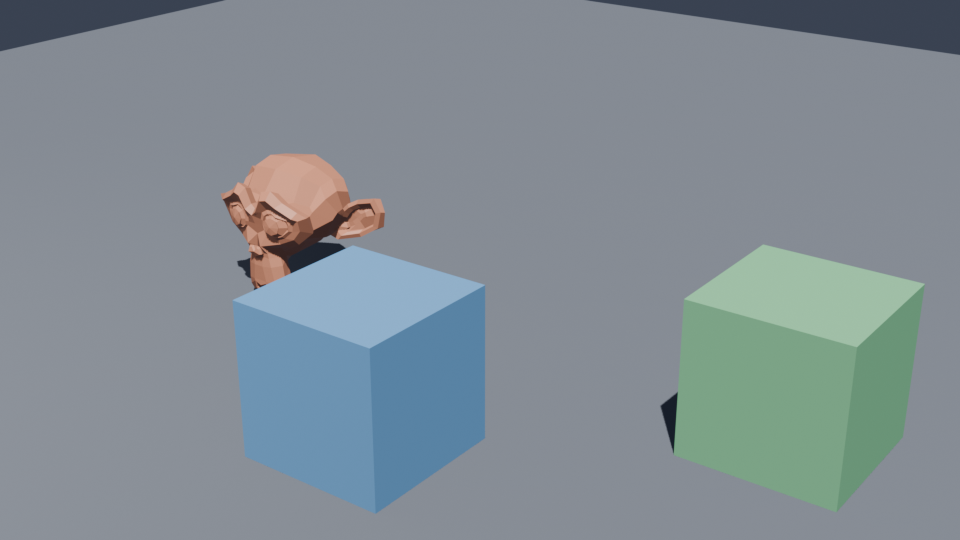
| JSON parsed, characters spawned | Hero, Block_A, Block_B |
| Materials applied from JSON colours | Pass |
| Keyframes written | Frames 1–48 |
| Engine resolved dynamically | BLENDER_EEVEE |
| Full animation render | 48 / 48 frames, exit code 0 |
| Output produced | output/render.mp4 — 44,862 bytes |
💻 Run it
cd BlenderProject

blender --background --python main_script.py --            # build + animate only
blender --background --python main_script.py -- --render   # render to output/render.mp4
blender --background --python main_script.py -- --json my_scene.json --out out/x.mp4
No pip packages — bpy ships inside Blender. Software EEVEE on CPU runs roughly 2–3 s/frame at 960×540; the 48-frame animation took about 2m20s.
The asset file was also empty
⚠️ assets.json — schema recovered, values reconstructed
The original was 0 bytes on disk, and 0 bytes in the 2026-02-09 backup archive. Its content is unrecoverable. The file now in the directory is reconstructed, and says so in its own _RECONSTRUCTED field.
The distinction that matters:
- ✓ The schema is recovered, not invented. Every key is read directly by the original script, so the required shape is fully determined by code that still exists. The file carries a
_schema_sourcemap citing the exact line that reads each key. - ! The values are new. Three sample characters chosen to exercise both supported primitive types. They are not the original scene, and no claim is made that they are.
What it does not do
Two primitives only
CUBEandMONKEY- No imported meshes, no rigs
- Flat base colour materials only
One animation
- Everything moves to a single shared target
- At the midpoint all characters overlap
- Hardcoded, not data-driven
Slow on CPU
- Software EEVEE, no GPU used
- ~2–3 s/frame at 960×540
use_nodesdeprecation warning on 5.1
Where AVS starts
A hundred lines that never ran, kept because they contain the idea that a 39-module production system was later built on. The interesting part of a portfolio is often the earliest file, not the biggest one.