BitWithBite AVS
AI Virtual Production Studio
A complete, offline AI production house built in Python on top of Blender. One written prompt becomes a finished film — script, cast, camera work, lighting, voice acting, rendering, editing, subtitles, score and every social export format — with no API keys, no subscriptions and no cloud dependency.
Animated video production is expensive, slow and gatekept
Producing even a short animated explainer or story film traditionally means a scriptwriter, a 3D artist, a rigger, an animator, a lighting artist, a voice actor, an editor and a colourist — plus licensed software and, increasingly, paid AI API credits that scale with every second of output. For an independent educator, a small studio or a solo researcher, that cost structure simply rules the medium out.
The AI tools that promise to fix this mostly trade one dependency for another: they need cloud GPUs, per-token billing and an internet connection, and they give you a black box — you type a prompt and accept whatever comes back, with no way to give notes on scene 3 without regenerating everything.
A production pipeline you can direct, running entirely on your own machine
AVS treats film production as an orchestrated pipeline of specialised engines rather than a single generative step. A local LLM writes the script and dialogue. A casting engine parses plain-English character descriptions and matches them against a rigged avatar library. A scene designer converts narrative mood cues into a JSON scene graph with environments, lighting, camera language and per-shot effects. Headless Blender batch-renders every shot. A neural TTS engine records the narration. FFmpeg assembles, grades, subtitles, scores and exports.
Because every intermediate stage is inspectable structured data rather than an opaque tensor, you can intervene anywhere: rewrite one line of narration, restyle one character, change the lighting on scene 3 — and only the affected work re-renders.
Watch a film AVS produced by itself
“The Last Lighthouse” — generated from a short written brief. The script, character designs, camera work, lighting, voice performance, subtitles, music and final cut were all produced by the pipeline. No manual editing was applied to this output.
Thirty-nine engines, one pipeline
AVS is deliberately modular. Each engine owns one production concern and communicates through plain JSON, which keeps the system debuggable, testable and extensible — a new engine is a new module, not a rewrite.
🧠 Story & Language
story_engine·ai_script_engine— script, three-act structure, scene breakdowndialogue_engine— character-attributed spoken linesemotion_engine— maps narrative beats to facial performancecritic_engine— reviews the assembled cut and writes a report- Template fallback keeps the system working with no LLM installed
🎭 Casting & Design
character_designer— parses colours, sizes, outfits, hair, accessories from plain Englishavatar_manager— matches descriptions to a 37-strong rigged avatar libraryscene_designer·scene_graph— builds the JSON scene representationlibrary_manager— remembers characters and looks across every project
🎥 Cinematography & Render
cinematography_engine·director— shot selection, framing, camera movesblender_driver·build_scene.py— drives headless Blender via thebpyAPIrender_pipeline— batch rendering, quality tiers, CRF-tiered encodingaspect_ratio_engine— reframes the same film per target platform
🔊 Audio
tts_engine— Piper neural voices offline, pyttsx3 fallbacklipsync_engine— drives mouth animation from the audio trackmusic_engine— procedurally generated, royalty-free-by-construction scoresound_design_engine— ambience and effects bed
✂️ Post & Distribution
editor_engine— assembly, fades, title card, colour grade, sharpenshorts_engine·broll_engine·thumbnail_engineupscale_engine— resolution recovery passpublish_engine·social_media_engine— exports plus a full social kit
⚙️ Orchestration
pipeline·project_manager— end-to-end run coordinationjob_manager·job_worker— detached background workers with live progress, logs and cancelreview_engine— the draft → notes → approve → finalize loopseries_manager— plans and scripts a whole season with a recurring castanalytics_engine·settings·utils
The director review loop
This is the part I am most pleased with, because it is what separates AVS from a prompt-and-pray generator. Rendering is the expensive step, so AVS refuses to spend it until a human has signed off.
1 · Draft
draftproduces samples only — no full render- An animatic: storyboard stills timed to the real recorded voice track
- A labelled contact sheet showing every scene at a glance
- A written review sheet with per-scene status
2 · Note
note <slug> 3 "sunset lighting, close up camera"— restyle a scenenote <slug> 2 --narration "Better words."— rewrite and re-record a linenote <slug> 1 "nova: blue suit, taller"— restyle a character- Only the touched samples re-render; that scene returns to pending
3 · Approve & Finalize
approve <slug> 3signs off one scene, or approve everything at oncefinalizerefuses to run until every scene is approved- Only then does the full render and distribution package build
- A generator becomes a reviewable production workflow
Real output from the running pipeline
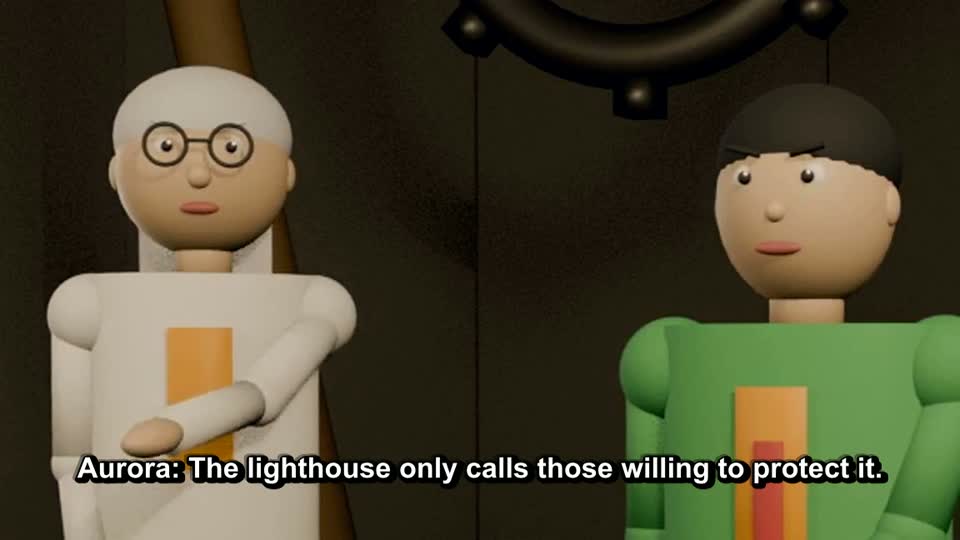
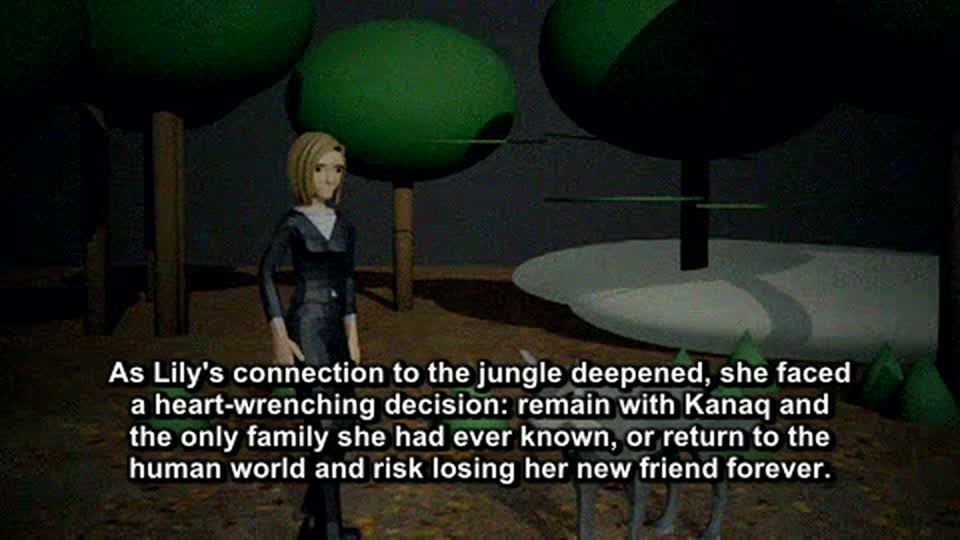
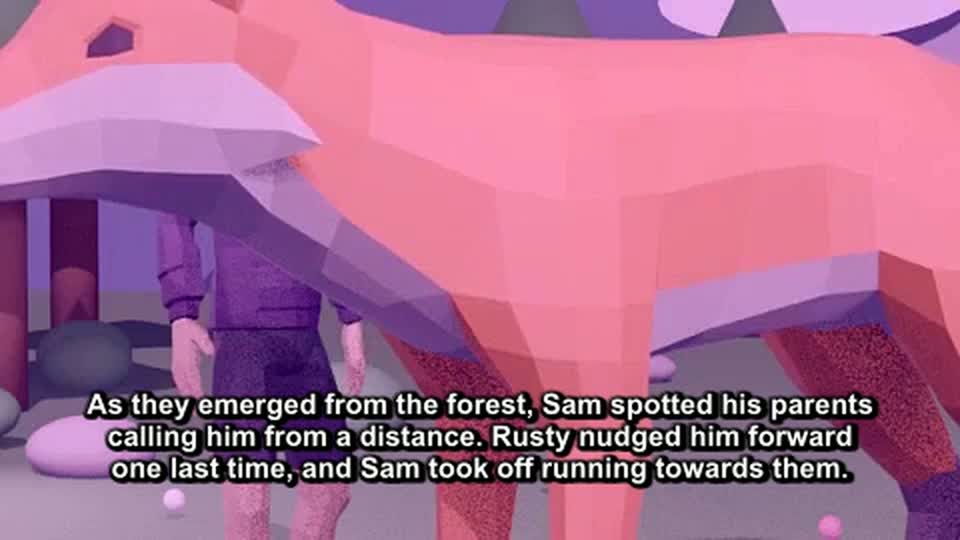
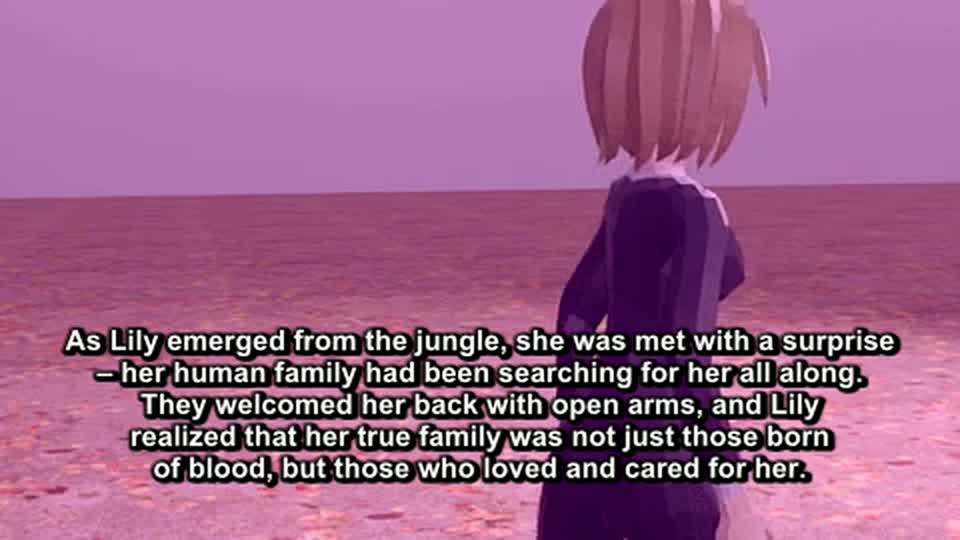
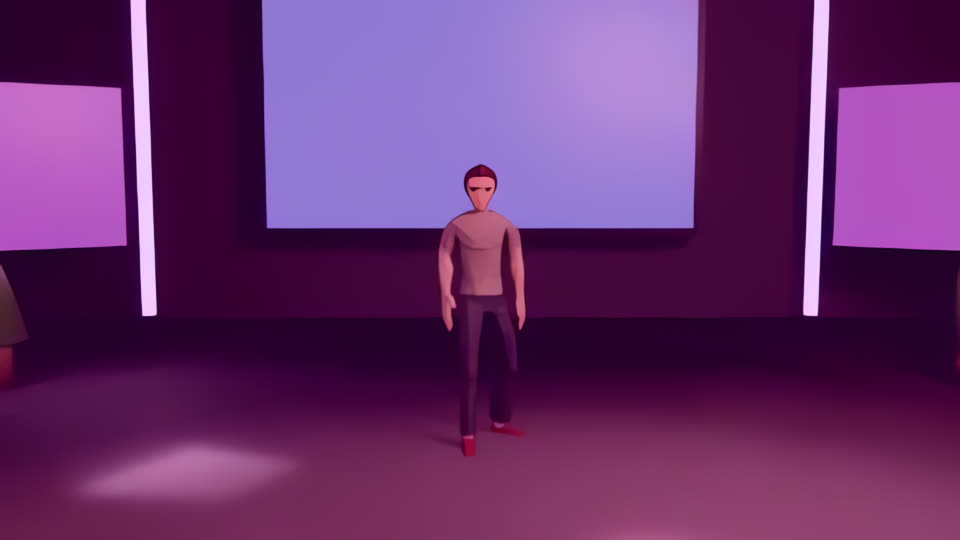
Every image below is a genuine, unretouched frame produced by AVS — no concept art, no mockups, no hand-editing. Click any still to enlarge.


What the current hardware does and does not limit
⚠️ Rendered on CPU-only hardware — no dedicated GPU
Every frame on this page was produced on a machine with no dedicated GPU. That constrains AVS to its draft and preview render tiers, where sample counts are low and full raytracing is limited. The result is stylised rather than photoreal, and I would rather say that plainly than present the output as something it is not.
This is a rendering-hardware ceiling, not a software gap. The pipeline is complete and runs end-to-end today — script generation, casting, scene graph construction, camera and lighting logic, neural voiceover, batch rendering, editing, subtitling, scoring and multi-format export all work, which is why 29 finished films exist rather than a demo reel. The final quality tier is already implemented in code (high-sample Cycles raytracing, denoising, higher-resolution upscaling); it is gated purely by available compute.
The moment a GPU is available, the same commands produce final-tier output with no code changes. Nothing needs rewriting, porting or re-architecting — only --mode final on hardware that can carry it.
In the meantime, AVS ships a cinematic mode that routes around the constraint entirely: it writes per-shot generator prompts, you produce photoreal clips in any free cloud AI video tool, and AVS normalises, trims to the narration and assembles them into the same publish-ready package. The pipeline stays useful regardless of the hardware underneath it.
Challenges solved
Audio and picture drifting out of sync
ProblemScene durations were originally fixed by the script planner, but generated narration never lands on a predictable length. Over a six-scene film, small per-scene overruns compounded until the voice was visibly ahead of the picture.
SolutionInverted the dependency. Narration is recorded first, its true duration measured, and each scene's timeline is then fitted to the actual spoken audio. Sync is now structural rather than something to correct in post.
Rendering cost on CPU-only hardware
ProblemLaunching Blender per scene meant paying full process startup and scene-build cost repeatedly, which on CPU rendering dominated total runtime.
SolutionBatch rendering — every scene renders inside a single headless Blender process — plus three quality tiers that enable raytracing only from preview upward, and CRF-tiered encoding so draft passes stay cheap. Combined with the review loop, expensive renders only ever happen on approved material.
Characters that looked wrong for the story
ProblemA naive casting pass dressed every character on a human rig — so a script describing a wolf produced a person in a costume, with proportions that broke the shot.
SolutionAdded animal detection to the casting engine, routing non-human characters onto a dedicated animal avatar library with correct quadruped proportions. The same pass also filters out the game-combat animation clips those rigs ship with, so characters walk and gesture rather than swinging swords mid-narration.
Cameras framing empty space
ProblemTight shots — close-ups and over-the-shoulder — were aimed at the stage centre, which is frequently not where the speaking character stands. The result was intimate framing of nobody.
SolutionThe cinematography engine resolves the scene's actual speaker from the dialogue attribution and frames on them; listeners additionally turn to face whoever is speaking. Framing now follows the performance.
Long renders blocking the whole application
ProblemA full render could occupy the interface for a long stretch, so designing a second scene or closing the browser meant losing the work.
SolutionMoved production to detached background workers with a job queue. Heavy renders queue and run one at a time; progress, logs, results and cancellation are surfaced in a Jobs view. Work survives navigating away or closing the browser entirely.
Hard dependency on paid AI services
ProblemThe obvious implementations of scriptwriting and voice synthesis both assume a metered cloud API, which would have made every minute of output cost money and every run require connectivity.
SolutionLocal-first throughout: Ollama for script generation, Piper neural voices for narration, Blender for rendering, FFmpeg for post — with graceful degradation at every step (template scripts, pyttsx3 voices) so the pipeline never hard-fails when an optional component is missing. Total marginal cost per film: zero.
Tech stack
How it grew
bpy to build and render a scene from structured input. Proved the core idea: a 3D scene is just data, and data can be generated.Future roadmap
Interested in this work?
I'm open to remote AI engineering roles, research collaboration and PhD opportunities in computer vision, generative 3D and multi-agent LLM systems — and happy to walk through the AVS codebase in detail.